What your customer sees
The page a link opens, every answer your customer can give, and what they see afterwards.
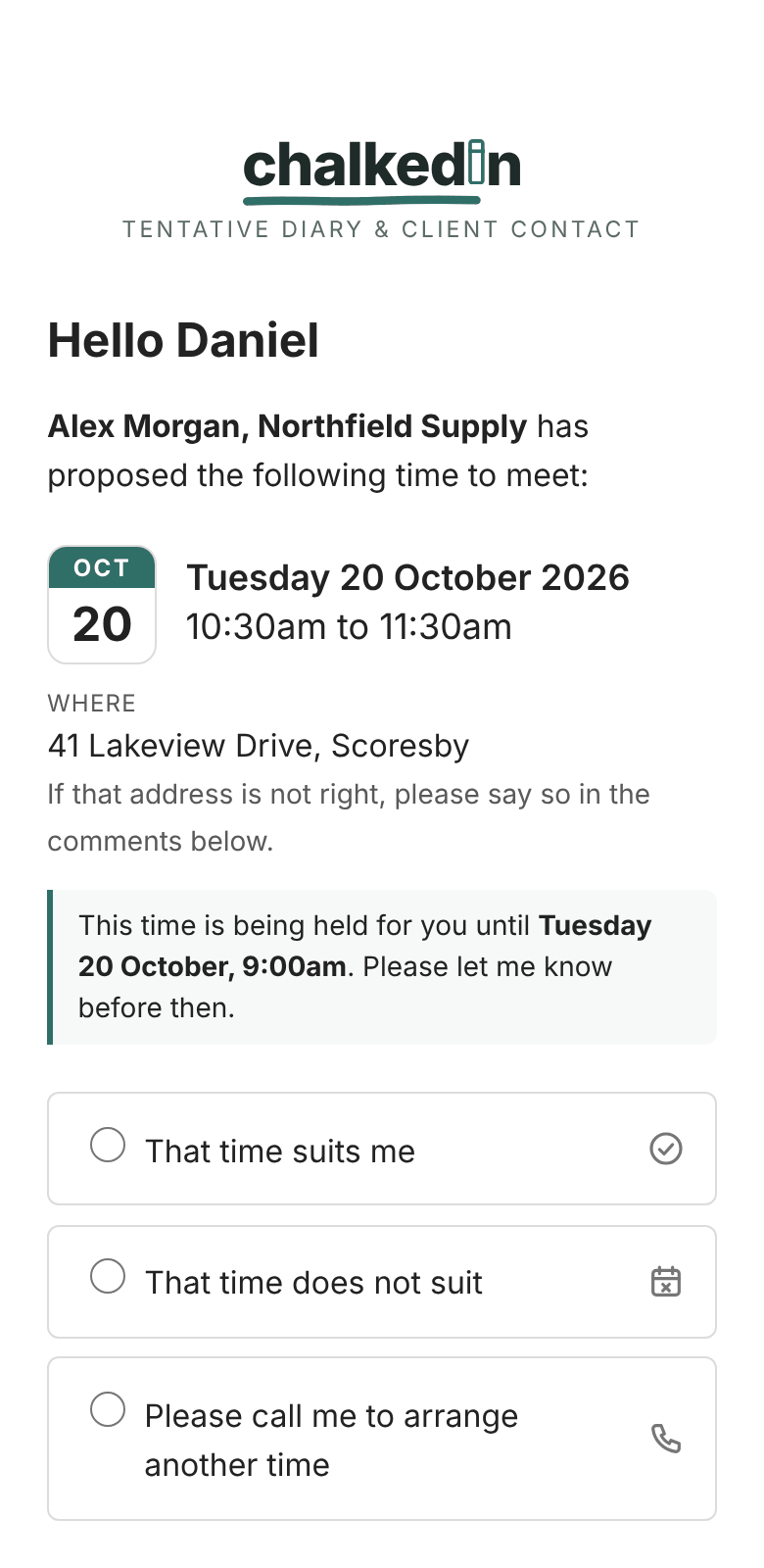
Your customer presses Respond to this time (or the link in your text) and sees a page in your chalk colour with your name, your business, and the time you proposed. There is nothing to sign up to and nothing to install.
The answers they can give
- That time suits me: they accept. If you ask about PPE, the page asks Will PPE be required? here.
- That time does not suit: they decline. If you allow it, they are asked whether another time would suit, and can tick days of the week and morning or afternoon, with a box for anything else. That comes back to you as a Reschedule. See When they ask for another time.
- Please call me to arrange another time: offered only when you answered Yes to Do you have their phone number? on the link.
- Comments to add (optional): anything they want to tell you.
They press Send response, and the answer is recorded and emailed to you.
Opening is not answering
Company mail filters often open links to check them before anybody reads the email. So opening a link never counts as an answer: only pressing Send response does. The card under Active does show when the link was first opened.
After they answer
A thank-you page confirms what they chose. After a yes, it says you will send a calendar invitation, with a No calendar invitation needed button if they don’t want one. See Calendar invitations after a yes.
If they open the link again later, it shows that a response is already recorded.
The privacy notice
Every page carries Privacy — what happens to your details, which folds open to say what was already known, what answering records, what it is used for and how long it is kept, using your own settings. It ends with your contact email and a link to the full Privacy Policy.
Links that no longer work
- Expired: they are told so, with your contact details, and a Let’s reschedule button if you allow it. See How long a link stays open (auto-expiry).
- Cancelled or replaced: they are told the proposal has been withdrawn. See Change, cancel or remove a link.
See it for yourself: send a link to yourself and open it on your phone.
Still stuck?
In Chalkedin, open Help and feedback from the menu under your initials (More on a phone) and tell us what happened, or email [email protected].
Checked against Chalkedin on 20 October 2026.