How Chalkedin works
The idea in two minutes: you propose a time, your customer answers it in one tap, and the answer comes straight back to you.
Chalkedin is a tentative diary for people who have to ask for somebody else’s time: a sales call, a quote, a site visit, an appointment. Instead of sending a calendar invitation that lands in your customer’s diary before they have agreed to it, you send them a question: does this time suit?
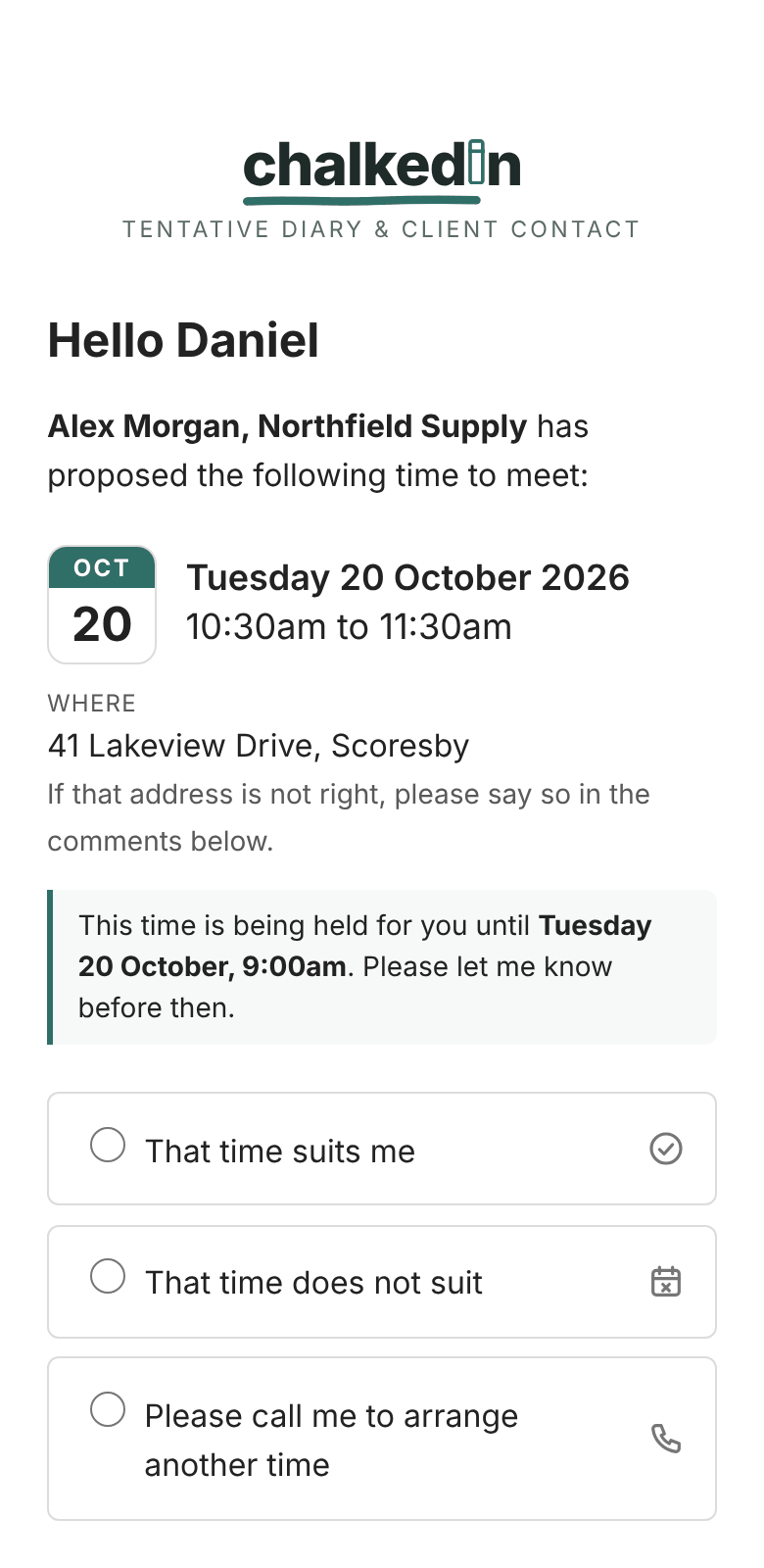
The four steps
- Propose a time. On New meeting, type your customer’s first name and choose a day and a start time. Times you have already offered or booked are greyed out, so you can’t double-book yourself.
- Send it as yourself. Chalkedin writes the email (or the text message) from your template, with a Respond to this time button in it. You copy it and paste it into Outlook, Gmail or your phone’s Messages app, so it goes from your own address or number. Chalkedin never sends anything to your customer itself.
- They answer in one tap. The link opens a page showing the time you proposed. They choose That time suits me or That time does not suit, and can tell you which days and half days would suit instead, or ask you to call. They don’t need an account, an app or a password.
- You hear straight away. Their answer is emailed to you and appears on Home and under Requests. A yes goes into your week on the Calendar; a request for another time is one click from a new link.
Where things live
- Home: what needs following up, the next seven days and how the month is going. See Home: what to follow up and the week ahead.
- Calendar: your week or month, with what is waiting and what is settled. See Using the Calendar.
- Requests: every link, in three lists: Active (waiting for an answer), Replied and Expired. See Requests: Active, Replied and Expired.
- Templates: the wording of your emails, texts and reminders. See Templates: your emails and texts.
- Settings: how Chalkedin works for you, in seven tabs. See A tour of Settings.
Why a proposal and not an invitation
An invitation is a commitment written into somebody else’s week. Company mail filters often quarantine them, and people ignore or resent them. A proposal is a question, and a question gets an answer. Once your customer has said yes, you can send the real calendar invitation knowing it is wanted, or they can tell you they don’t need one. See Calendar invitations after a yes.
The quickest way to understand Chalkedin is to send a link to yourself and answer it on your phone. Here is how.
Still stuck?
In Chalkedin, open Help and feedback from the menu under your initials (More on a phone) and tell us what happened, or email [email protected].
Checked against Chalkedin on 20 October 2026.