Home: what to follow up and the week ahead
Home puts the few things that need a decision at the top, then the next seven days, then how the month is going.
Home is the page you land on when you sign in. Nothing on it is new information: every line is worked out from the same records as your lists and calendar, so it always agrees with them.
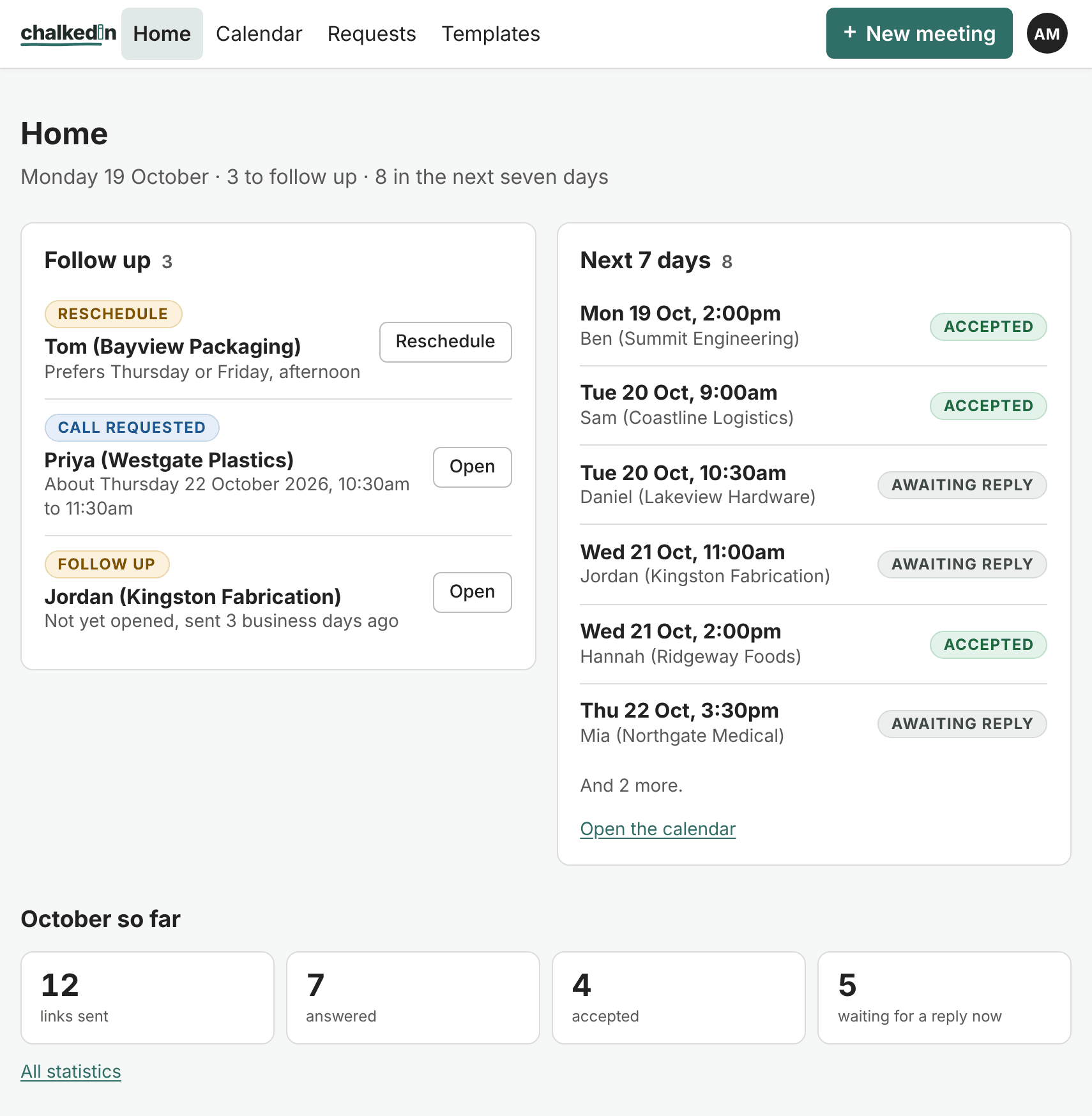
Follow up
The things that need you, most pressing first:
- Reschedule: a customer said the time didn’t suit and told you what would. Their preferred days are shown, with a Reschedule button that opens a new link filled in for you. See When they ask for another time.
- Call requested: a customer asked you to ring them, listed until the proposed time has passed.
- Follow up: a link that has waited the number of business days you allow with no answer, or is about to expire. The button takes you to its card, where Remind sends a reminder. See Follow up and send a reminder.
When there is nothing to do, it says so.
Next 7 days
What is accepted or still waiting for an answer over the next week, in order. Open the calendar shows the same on the Calendar.
The month so far
Four figures for the month: links sent, answered, accepted, and waiting for a reply now. All statistics opens the full figures under Settings › Statistics. See Statistics.
Getting started
While your account is new, Home also shows a few first steps, and the rest of the set-up if you left it part way. Press Hide this once you’re done with them.
Still stuck?
In Chalkedin, open Help and feedback from the menu under your initials (More on a phone) and tell us what happened, or email [email protected].
Checked against Chalkedin on 20 October 2026.