You’ve been sent a meeting link
Somebody has proposed a time to meet. Here is how to answer, and what happens to your details. No account needed.
The person who emailed or texted you uses Chalkedin to propose times to meet. The link asks you one thing: does the time suit? There is nothing to sign up to and nothing to install.
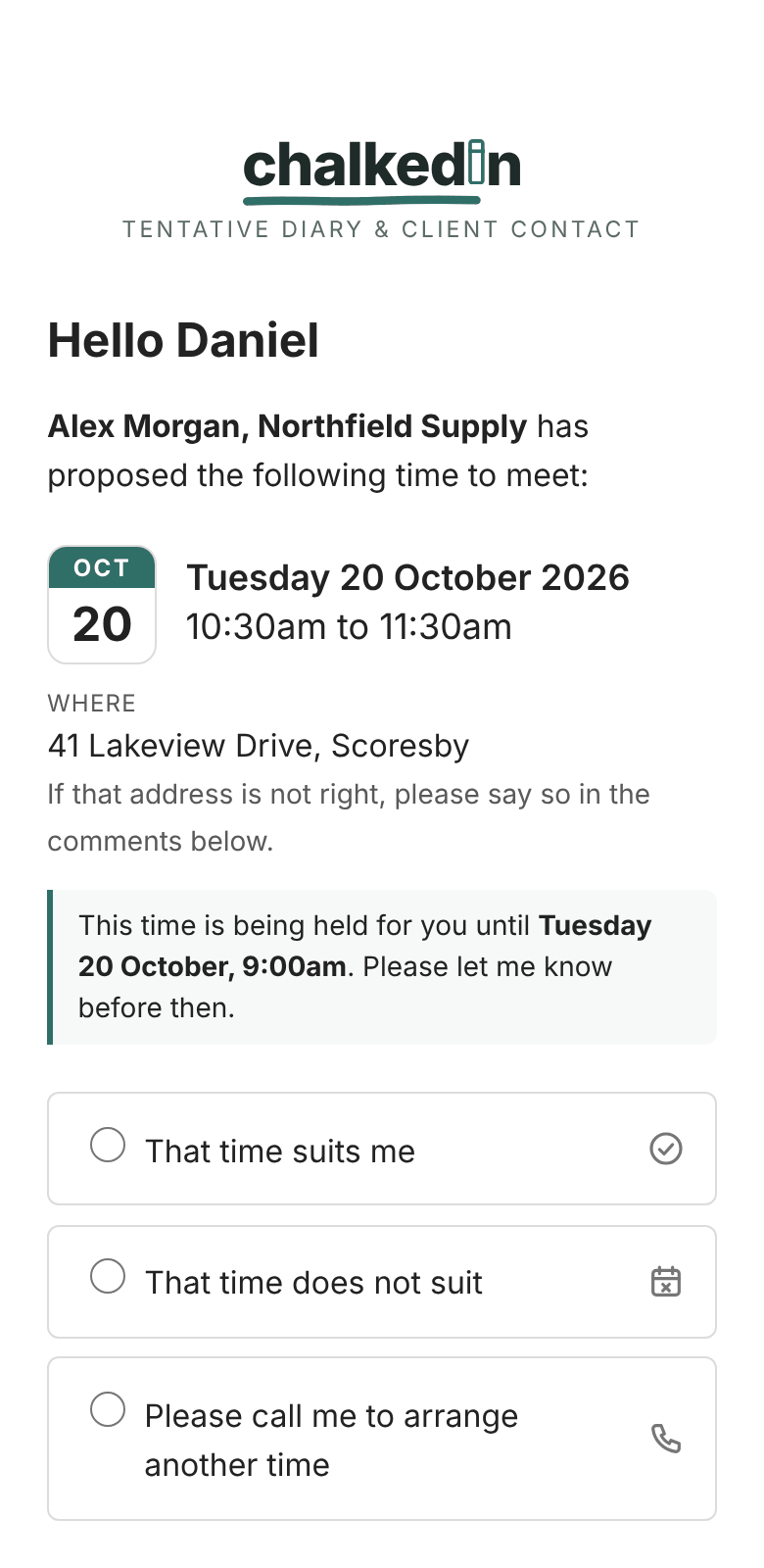
Answer it
- Press Respond to this time in the email, or the link in the text.
- Choose That time suits me, or That time does not suit.
- If it doesn’t suit, you may be able to tick the days and the morning or afternoon that would, or ask them to call you.
- Add a comment if you like, and press Send response.
Your answer goes straight to the person who sent it. Opening the link on its own doesn’t answer anything.
The link won’t open
The email also gives a short address (chalkedin.com/r/ and a code). Type it into your browser. If it says the link has expired or been withdrawn, reply to the original email and they will send a new time.
Your details
The page shows exactly what is held about you and how long it is kept, under Privacy — what happens to your details. Usually that is your first name and your answer, cleared a few days after the meeting. To have your answer removed sooner, contact the person who sent you the link, using the address on that page.
Chalkedin’s own Privacy Policy has the detail.
Still stuck?
In Chalkedin, open Help and feedback from the menu under your initials (More on a phone) and tell us what happened, or email [email protected].
Checked against Chalkedin on 20 October 2026.